
 English
  Tiếng Việt
 In today's technological era, connecting with smart devices offers flexibility and convenience for users. This connection not only helps maintain communication in remote areas but also makes it easy for you to track your location, send messages, and update your status during expeditions or outdoor work. Always ensure you have prepared all the necessary devices and software for connection to optimize your experience and ensure a stable connection when needed. with smart devices has become an essential need for many. Whether you are an adventurer, an oil and gas engineer, or simply a user who wants to stay connected in remote areas, connecting satellite devices to your smartphone or tablet can offer great convenience and flexibility. In this article, we will guide you on how to connect satellite accessories with smart devices in the simplest and most effective way.
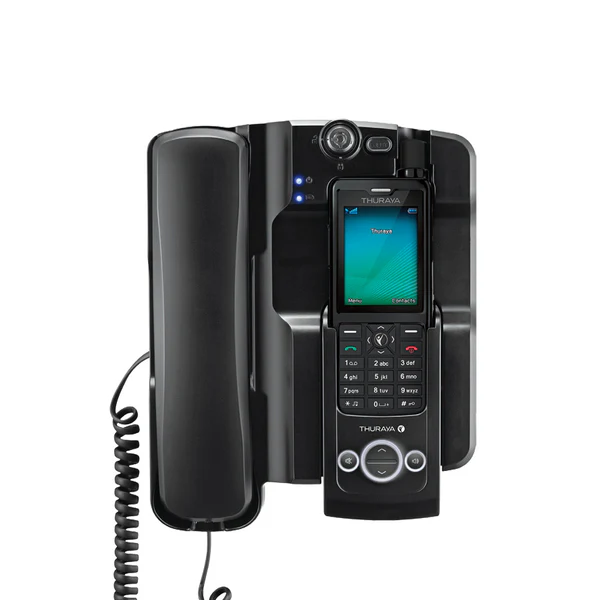
Connectivity Accessories
1. Benefits of connecting satellite accessories with smart devices
Before going into the details of how to connect, we need to understand why connecting satellite accessories with smart devices is important.- Communication everywhere: Connecting allows you to stay in touch even when you are in areas without mobile signal, such as mountainous regions, deep forests, or oceans.
- Increased flexibility: Smart devices like phones or tablets are easy to carry and can be used to control satellite devices, offering high flexibility in use.
- Easy tracking and management: Applications connected to satellite accessories often have user-friendly interfaces, allowing you to easily track locations, send messages, make calls, or perform other tasks remotely.
2. Types of satellite accessories that can be connected to smart devices
Before making a connection, you need to know which types of satellite accessories can be connected to smart devices. Here are some common examples:- Satellite phones: Satellite phone models such as Iridium, Thuraya, or Globalstar all support connection with smartphones via apps or Bluetooth connection.
- Satellite messengers: Các thiết bị như Garmin inReach hoặc SPOT có thể kết nối với các thiết bị thông minh qua Bluetooth hoặc cáp USB, cho phép bạn gửi và nhận tin nhắn từ xa.
- Thiết bị theo dõi GPS vệ tinh: Các thiết bị như Garmin GPS hoặc các bộ theo dõi vệ tinh khác có thể kết nối với ứng dụng trên điện thoại hoặc máy tính bảng để theo dõi vị trí, gửi tín hiệu SOS, và quản lý các thông tin về chuyến đi.
3. Các bước kết nối phụ kiện vệ tinh với thiết bị thông minh
Bước 1: Cài đặt ứng dụng liên kết với phụ kiện vệ tinh
Để bắt đầu kết nối, bạn cần tải và cài đặt ứng dụng tương thích với phụ kiện vệ tinh mà bạn sử dụng. Các nhà cung cấp thiết bị vệ tinh thường cung cấp ứng dụng riêng biệt để kết nối và quản lý các thiết bị vệ tinh của họ.- Garmin inReach: Tải ứng dụng Earthmate từ cửa hàng ứng dụng (App Store hoặc Google Play) để kết nối với Garmin inReach và sử dụng các tính năng như nhắn tin, theo dõi vị trí và quản lý dữ liệu.
- Iridium Go!: Cài đặt ứng dụng Iridium GO! trên điện thoại để kết nối với thiết bị Iridium GO! và sử dụng dịch vụ Internet vệ tinh, gọi điện hoặc gửi tin nhắn.
- SPOT Gen 3: Sử dụng ứng dụng SPOT để kết nối với thiết bị theo dõi SPOT Gen 3, giúp bạn gửi tín hiệu SOS hoặc cập nhật vị trí của mình.
Bước 2: Kết nối phụ kiện vệ tinh với điện thoại hoặc máy tính bảng
Sau khi cài đặt ứng dụng, bạn cần kết nối phụ kiện vệ tinh với thiết bị thông minh. Thông thường, việc kết nối có thể thực hiện qua các phương thức sau:- Bluetooth: Nhiều phụ kiện vệ tinh hỗ trợ kết nối qua Bluetooth. Bạn chỉ cần bật Bluetooth trên điện thoại hoặc máy tính bảng và ghép nối với thiết bị vệ tinh. Sau khi ghép nối thành công, bạn có thể sử dụng ứng dụng để kiểm tra tín hiệu, gửi tin nhắn hoặc theo dõi vị trí.
- Cáp USB: Một số phụ kiện vệ tinh yêu cầu kết nối qua cáp USB để truyền tải dữ liệu. Trong trường hợp này, bạn chỉ cần kết nối cáp USB giữa thiết bị vệ tinh và thiết bị thông minh của mình và cài đặt phần mềm cần thiết.
- Wi-Fi (on supported satellite devices): Some satellite devices, like the Iridium GO!, can create their own Wi-Fi network, allowing you to connect your smart devices over this Wi-Fi network. Once connected to the satellite device's Wi-Fi, you can use apps to communicate and share data.Step 3:
Check Connection and Start UsingAfter successfully connecting, you should check the signal and functions of the satellite device through the app to ensure a stable connection. Try sending a test message, checking GPS location, or making a call if your device supports this feature.
4. Notes When Connecting Satellite Accessories 4. Notes When Connecting Satellite AccessoriesEnsure a stable connection
- : Make sure your satellite accessory is placed in a convenient location, free from obstructions, for the best signal.Check Software and Firmware
- : Before use, ensure you have updated the software and firmware of your satellite device and the app on your phone to avoid connection errors.Backup When No Connection
- : Although satellite accessories can connect to smartphones, you should still have a backup satellite device in case your phone or tablet runs out of battery or has no connection.satellite accessory

with smart devices offers flexibility and convenience for users. This connection not only helps maintain communication in remote areas but also makes it easy for you to track your location, send messages, and update your status during expeditions or outdoor work. Always ensure you have prepared all the necessary devices and software for connection to optimize your experience and ensure a stable connection when needed.