
 English
  Tiếng Việt
 Satellite phones are crucial tools for communication in areas without mobile network coverage, especially when you are participating in outdoor activities, rescue operations, or traveling in remote locations. However, before using a satellite phone, checking the signal is a very important step to ensure uninterrupted connectivity. In this article, we will guide you on how to effectively check your satellite phone signal before use.
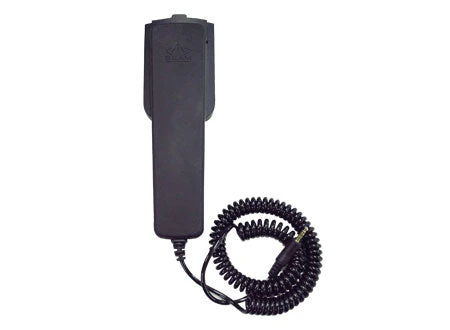
Satellite phones
1. Why is Checking Satellite Phone Signal Important?
Before using a satellite phone, checking the signal helps you ensure that the device is working properly, has no connection issues, and will maintain communication when needed. If the signal is weak or non-existent, you will have difficulty communicating in emergency situations. Checking the signal before use helps you detect problems early, such as:
- No signal: The phone cannot connect to the satellite due to device malfunction or geographical limitations.
- Weak signal: If the phone has a weak signal, you may experience issues maintaining calls or message connections.
2. How to Check Satellite Phone Signal
To ensure your satellite phone is working properly, you need to perform the following signal check steps:
Step 1: Choose an Open, Unobstructed Location
One of the crucial factors affecting satellite phone signal is your location. For a strong and stable signal, you should:
- Be outdoors: Satellite phones need a direct connection to satellites in space, so using them indoors, under roofs, or in tall buildings will reduce the khả năng kết nối (connection capability).
- Avoid obstructions: Trees, hills, or any large objects can interfere with satellite signals. Choose an open area to ensure the best signal.
Step 2: Turn on the Phone and Check the Signal Indicator Screen
- Turn on the satellite phone: When you turn on your satellite phone, pay attention to the icons on the display. Typically, the phone will have a signal indicator (which may be signal bars or a satellite icon) to show the signal strength.
- Check the signal bars: Strong signals will be displayed with multiple waves, while weak signals will have fewer or no waves. If no signal is displayed or the signal is very weak, you need to move to another location to get a better signal.
Step 3: Make a Test Call
After you have identified a strong signal on your satellite phone, try making a test call. This is a simple and effective way to check if your satellite phone can connect and maintain a call.
- Make a call to another satellite phone number or an emergency number (if available).
- Listen to the call audio: If the call connects without delay, static, or interruptions, your satellite phone is working well.
Step 4: Check Signal While Moving
Sometimes signals can fluctuate as you move from one area to another. Therefore, move around the area and recheck the signal when changing locations. This helps ensure that the signal does not weaken while you are moving, especially when moving to new areas such as hilly or forested regions.
3. Reasons Why Satellite Phone Signal May Be Weak or Not Working
- Equipment Malfunction: If the satellite phone cannot connect to the satellite, it may be due to hardware failure. In this case, you should check the satellite phone with your service provider for support.
- Geographic location: Remote areas, such as polar regions or deep forests, may have difficulty receiving signals.
- Satellite Congestion: If you are in an area with many satellite phone users at the same time, there may be signal congestion.

A satellite
4. Conclusion
Operating a satellitecheck the satellite radio signal before use is an important step to ensure that the radio will work effectively in all situations. Always check the signal before each trip or before starting work to ensure you can always communicate when needed. If you encounter any problems, do not hesitate to contact your service provider or the warranty center for timely support.